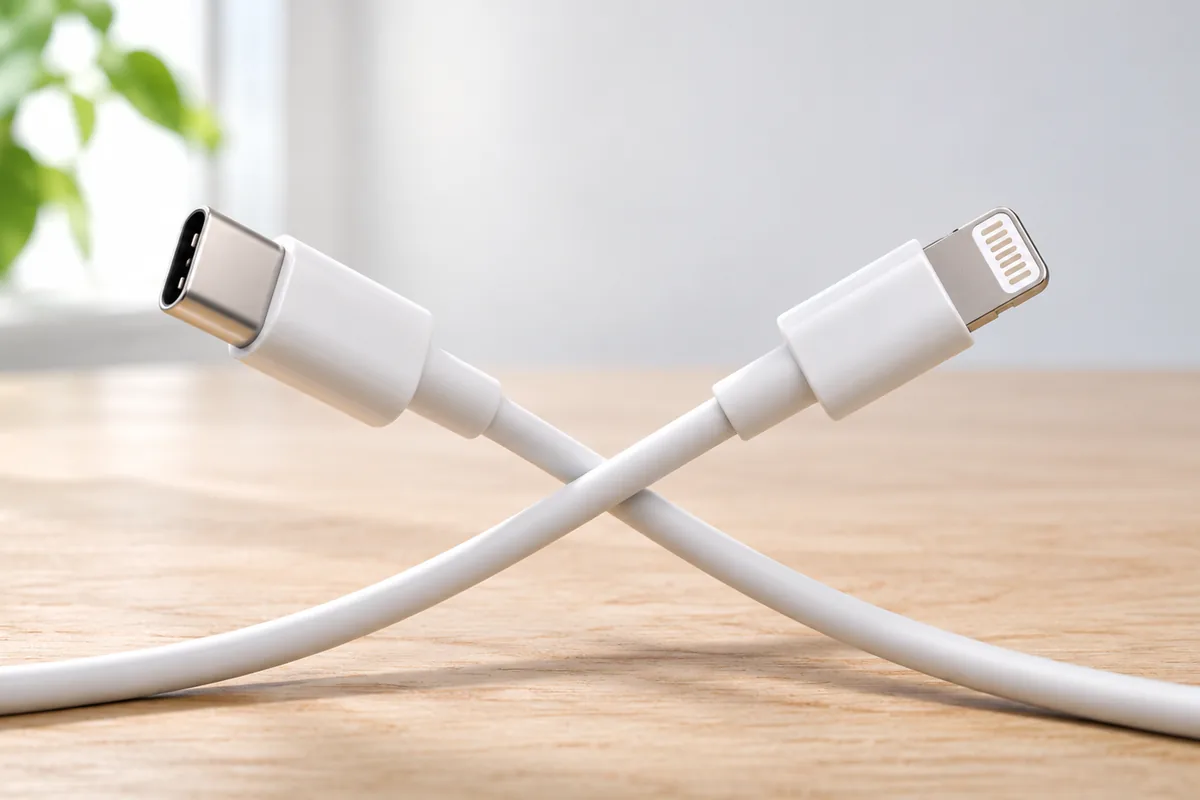
In the usb c vs lightning comparison, USB-C is the more flexible choice for most phone buyers in 2026: it works across more devices and is the better bet for future accessories. Lightning can still be practical on a used iPhone, but the port alone does not tell you how fast a phone charges or how long it will remain useful.
What Is the Difference Between USB-C and Lightning?
USB-C and Lightning are connector types. They describe the shape of the port and the plug that fits it, not every feature the phone supports. Both plugs can be inserted either way up, so neither has a major everyday advantage there.
USB-C is used by many phones, tablets, laptops, headphones, and other devices. Lightning is mainly associated with older iPhones and some Apple accessories. That difference matters when you travel, replace a cable, or share a charger with someone else.
A shared port can reduce the number of cables you keep around, but it does not make all USB-C devices identical. One phone may support faster charging or video output while another does not. A cable that fits may also lack the features needed for a particular task.
For a new phone, USB-C is usually the simpler choice for cable sharing. For a used phone, Lightning is not automatically a problem if you already own the right accessories and the phone otherwise meets your needs.
Charging Speed Depends on More Than the Port
USB-C does not guarantee fast charging, and Lightning does not always mean slow charging. The phone sets the power it can accept. The charger, cable, battery condition, and charging protocol also affect the result.
Some Lightning iPhones can charge faster with a suitable USB-C power adapter and a USB-C-to-Lightning cable than they can with an older, low-power charger. A USB-C phone can still charge slowly if its own charging limit is low or the adapter cannot provide what it needs.
Compare the stated charging support of the exact phone models you are considering. Be cautious with headline figures: they may describe ideal conditions, and charging commonly slows as the battery fills. Wireless charging is a separate feature and should be checked separately.
On a used phone, battery health may affect your day more than the connector does. An aging battery can run down quickly even if the port works perfectly. For more context, read our guide to common iPhone battery myths.
Cables and Accessories: Where USB-C Helps Most
USB-C’s clearest everyday benefit is convenience. You may be able to use the same cable or charger for your phone, tablet, headphones, or laptop. That can make packing easier and reduce the need to keep several spare cables.
Still, check what an accessory needs before assuming it will work. USB-C cables can differ in power and data capabilities. A basic charging cable may be fine for a phone but unsuitable for a demanding laptop charger or a display connection. Chargers can also support different charging standards.
Lightning accessories can remain useful if you already own them. Wired headphones, docks, or other products made for Lightning may need an adapter when you move to USB-C, and an adapter will not necessarily support every function. Count those accessories before deciding whether a change of port will save you trouble.
Port choice is only one part of choosing a phone. If you are comparing newer designs as well, our look at whether foldable phones are worth it in 2026 covers trade-offs that matter beyond the charging cable.
File Transfers and Video Need a Closer Look
USB-C can support useful extras, including fast file transfers and connections to external displays. But the USB-C shape alone does not promise either one. The phone, cable, and device at the other end must support the feature you want to use.
That matters if you often copy large videos to a computer or hope to connect a phone to a monitor. Look up the exact model’s data-transfer specification and video-output support. Do not assume that two phones with USB-C ports will perform the same way. Lightning iPhones can also transfer files, though their wired options and speeds depend on the model and accessory setup.
Many people rarely move files by cable. They use cloud services or wireless sharing instead, so transfer speed may not affect their daily experience. If storage is your main concern, changing ports will not create more space on the phone or in a cloud account. Our guide to freeing up iCloud storage addresses that separate issue.
Which Port Is Likely to Be Easier to Live With?
USB-C is the safer choice if you want one connector across your next few devices. Its wider use makes it more likely that a spare cable you already have, or one you can borrow, will fit. It also avoids building a new collection of accessories around a port found mainly on older phones.
That does not mean a Lightning phone will suddenly stop working. If its battery, software support, and condition meet your needs, you can continue using it with suitable cables. The practical drawback is that you may need to keep a separate cable as other devices in your home move to USB-C.
Do not judge longevity by the port alone. A phone’s remaining software updates, battery condition, repair options, and overall performance are more important to how long it stays useful. Those details vary by model and can change over time.
If you plan to keep a phone for several years, compare the whole device first. Treat USB-C as a helpful convenience and a sensible tie-breaker, not proof that the phone is better in every way.
What Used-Phone Buyers Should Check
A used Lightning iPhone can be a reasonable choice when it is in good condition and fits the way you use a phone. A used USB-C phone can be a poor choice if its battery is worn out or its port is damaged. Inspect the device, not just the connector type.
Check that a cable sits securely, charging starts reliably, and the port is not blocked by lint or visibly damaged. If possible, confirm that wired data transfer works too. Ask what cable is included, but do not rely on its appearance as proof of quality.
Also check battery condition, update support, storage capacity, and whether the phone is locked to someone else’s account or a mobile network. These issues can cost you more time than carrying an extra cable. If you will change phones, confirm how you will move your number; our guide to switching phones with eSIM explains one common part of that process.
Finally, count the accessories you already use. A Lightning phone may fit an existing setup, while USB-C may be easier if most of your other devices already use it.
A Simple USB-C vs Lightning Checklist
Start with your normal day rather than a specification sheet. Do you charge overnight, share cables with family, use wired headphones, or regularly copy large files? Your answers show which port differences will actually matter.
- For fewer cables: Favor USB-C if your other devices already use it.
- For faster charging: Compare the exact phones and suitable chargers; do not choose by port name alone.
- For existing accessories: Check whether your wired headphones, docks, and cables will still work.
- For large file transfers or a monitor: Confirm the model’s data and video features, plus the cable required.
- For a used phone: Check battery health, port condition, software support, and account status before focusing on USB-C or Lightning.
If two phones meet your needs equally well, USB-C is generally the more convenient long-term pick. If a Lightning phone is otherwise the better fit, the port need not rule it out. Be realistic about the extra cable and any accessories you might have to replace later.
The best answer is not “USB-C is always fast” or “Lightning is obsolete.” It is to check the features and condition of the specific phone, then decide whether sharing cables is important to you.
Frequently Asked Questions
Does USB-C always charge a phone faster than Lightning?
No. Charging speed depends on the phone, charger, cable, and battery condition, so compare the exact models you are considering.
Can I use any USB-C cable with a USB-C phone?
Many USB-C cables will handle basic charging, but their power, data, and video capabilities differ. Check the cable requirements for the feature you need.
Is a used iPhone with Lightning still worth considering?
Yes, if its condition, battery, software support, and features meet your needs. Expect to keep a Lightning cable even if your other devices use USB-C.
Will a USB-C port let my phone connect to a monitor?
Not necessarily. The phone must support video output, and you may need a compatible cable or adapter.
Final Thoughts
USB-C makes sharing cables and planning for future accessories easier, while Lightning can still serve a well-kept used phone. Compare the actual phones for charging, features, battery condition, and remaining support. The port matters, but it should not make the whole decision for you.