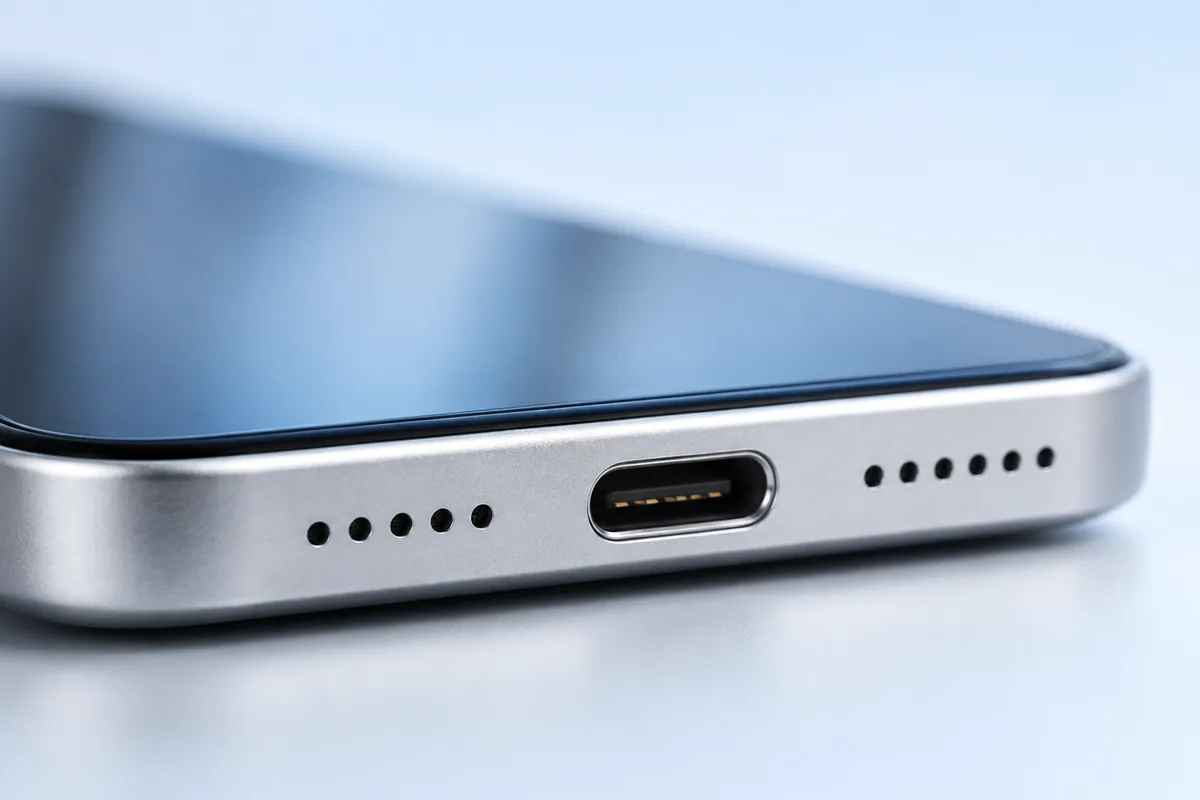
To clean a phone charging port safely, turn the phone off, unplug it, and gently brush loose dust from the opening with a dry, soft brush. For a muffled speaker, use the same light touch on the grille. Keep liquids and sharp objects out of both openings; if cleaning does not help, the problem may need professional repair.
Start With a Safe Check
Before cleaning, remove the case and disconnect every cable or accessory. Turn the phone off. Work somewhere bright so you can see the speaker grilles and charging port without probing them. A flashlight can help you spot lint near the port opening, but do not assume every dark area is dirt: contacts and other internal parts may be visible.
Check the simple causes first. If a cable feels loose, try another cable and power adapter that you know work. Inspect the cable plug for damage or dirt, too. If sound is muffled, make sure the case or a screen protector is not covering a speaker grille. Test more than one app and check that audio is not being sent to Bluetooth headphones.
Only clean what you can reach without force. A port or grille is a small, delicate opening, not a space to scrape clean. If you see bent metal, corrosion, or a piece stuck firmly inside, stop before you make the damage worse.
Clean a Muffled Speaker Grille Gently
A soft, clean, dry brush is the safest place to start. With the phone off, hold the speaker grille angled downward and make a few light strokes across its surface. The aim is to lift dust away, not push it through the grille. Pause and inspect your progress rather than brushing harder.
Do not poke individual holes with a pin, needle, or toothpick. Avoid blowing into the grille, which can add moisture, and do not use a strong blast of compressed air. Sticky putty can leave material behind or pull at a mesh. Playing a loud “speaker cleaning” sound is not a reliable substitute for removing dirt and may be unpleasantly loud.
Turn the phone back on and test a voice recording, a call, and ordinary media audio. Phones can use different speakers for calls and media, so note which sounds muffled. If sound quality matters when choosing a device, our guide to what matters in a gaming phone also discusses features beyond raw speed. Cleaning can remove surface dust, but it cannot fix a damaged speaker.
Clean the Charging Port Without Damaging It
To clean a phone charging port, begin at its outer edge. With the phone off and unplugged, hold the opening downward and use a small, dry, soft brush to sweep away lint you can reach easily. Use very little pressure. Do not force bristles past resistance or scrub the contacts inside.
Never insert a metal pin, paper clip, knife tip, or other sharp object. These can bend contacts or cause an electrical short. A cotton swab may shed fibers, while a wooden toothpick can splinter or apply too much pressure. If lint is packed deep inside, leave it to a qualified repair technician rather than digging for it.
After brushing, check the cable plug before reconnecting it. If the plug is dirty, follow the cable maker’s cleaning advice and let it dry fully before use. Then test charging with a known-good cable and adapter. Do not repeatedly push a loose plug into place. For other charging misconceptions, see our guide to common iPhone battery myths; a poor physical connection and battery health are different issues.
Use Isopropyl Alcohol Only Where It Is Appropriate
For routine speaker and port cleaning, use a dry brush, not alcohol. Do not pour, spray, or drip isopropyl alcohol into either opening. Liquid can travel beyond the part you meant to clean, and it may affect adhesives, seals, or internal components. Even fast-evaporating alcohol is not a reason to soak a connector.
Some phone makers allow certain alcohol-based wipes on exterior surfaces, but instructions vary by model and surface. Check your phone maker’s guidance before using one. If allowed, use the wipe on the exterior only, keep moisture away from openings, and never use a dripping cloth. Avoid household cleaners and abrasive pads unless the manufacturer specifically approves them.
If the phone has been splashed or shows a liquid-detection warning, stop charging it. Unplug it, let the port face downward, and follow the manufacturer’s drying instructions. Do not put it in rice, use a hair dryer, or try to speed drying with compressed air. A phone can look dry outside while moisture remains in its port. If the warning persists after the recommended drying time, seek service rather than trying solvents.
Tell Dirt Apart From a Hardware Problem
Surface dust is a likely cause when a grille looks blocked and sound improves after gentle brushing. Packed lint may explain a charging plug that does not seat fully. Neither symptom proves that dirt is the only problem, so test after each simple step instead of cleaning repeatedly.
Try a known-good cable and adapter, then check whether the phone charges without the cable being held at an angle. If it supports wireless charging, that can help narrow down the issue: wireless charging working while wired charging fails points toward the cable, adapter, or port, but does not identify which one. For sound, compare calls and media, with Bluetooth turned off.
Stop troubleshooting at home if you see bent contacts, green or white residue, a damaged grille, or signs of swelling or overheating. A drop or liquid exposure may also cause internal damage that brushing cannot solve. Foldable devices can have especially complex construction; our overview of foldable phone trade-offs offers more context, but the same rule applies to any phone: do not probe a part you cannot see clearly.
Know When to Stop and Get Help
Home cleaning should be brief and gentle. If a few light passes with a dry brush do not help, more force is unlikely to be safer. A technician can inspect a deeply blocked port or damaged speaker with the right tools and decide whether cleaning or a part replacement is needed.
Get help promptly if the phone becomes unusually hot while charging, the port smells burnt, charging repeatedly starts and stops with known-good accessories, or a speaker crackles after a drop or liquid exposure. Stop using a damaged charging cable or adapter. If the phone is swollen, do not charge it; follow the manufacturer’s safety guidance for service.
Before arranging a repair, back up your data if the phone can be used safely. Check the manufacturer’s support information for your model, including any warranty or water-resistance advice. Water resistance can decline with age or damage, so it should never be treated as permission to wash an opening. Routine battery care is a separate topic; our guide to battery care for laptops explains habits for another device, while a faulty phone port needs its own diagnosis.
A Simple Cleaning Checklist
Keep the process small. You do not need a cleaning kit or a strong chemical to handle ordinary surface dust. Use this checklist when charging becomes unreliable or sound seems dull:
- Unplug the phone, turn it off, remove the case, and work in good light.
- Check the cable, adapter, audio settings, and Bluetooth connection before blaming dirt.
- Hold the opening downward and lightly brush reachable dust with a clean, dry, soft brush.
- Keep metal objects, sharp tips, liquid, and strong air blasts out of the port and grilles.
- Turn the phone on and test again with a known-good cable or familiar audio.
- Stop if anything is stuck, bent, wet, corroded, hot, or still unreliable.
There is no need to clean these openings on a fixed schedule. Clean them when you notice visible dust or a symptom you have already checked. Between cleanings, keep the phone away from loose pocket lint where practical, and avoid charging while the port is wet. Gentle prevention is easier than removing tightly packed debris later.
Frequently Asked Questions
Can I use a toothpick to clean my phone charging port?
It is safer not to. A toothpick can splinter or damage contacts; gently brush reachable lint at the opening and get help for debris packed deeper inside.
Can I put rubbing alcohol in a speaker or charging port?
No. Keep liquid out of both openings, and check your phone maker’s instructions before using an alcohol wipe on exterior surfaces.
Why is my phone speaker still muffled after cleaning?
The cause may be a blocked case, an audio setting, moisture, or speaker damage. Check those possibilities and seek service if gentle surface cleaning does not help.
When is a charging problem likely to need repair?
Get the port checked if charging remains unreliable with a known-good cable and adapter, or if you see bent contacts, corrosion, or damage.
Final Thoughts
A dry, soft brush and a light touch are enough for most reachable dust. Do not dig inside a charging port or wet a speaker grille. If simple checks and gentle cleaning do not restore normal sound or charging, stop and have the phone inspected.